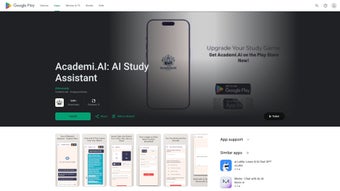

Download AcademiAI – AI‑Powered Study Assistant, Homework Helper, Exam Prep Tool
Overview: Transform Your Learning Experience
AcademiAI is an innovative AI‑driven study companion designed to reshape the way students approach learning. By leveraging cutting‑edge machine‑learning algorithms, the platform offers a holistic suite of tools that streamline study habits, accelerate homework completion, and boost exam readiness. Whether you’re tackling complex mathematics, drafting a research essay, or preparing a presentation, AcademiAI provides real‑time assistance that adapts to your individual strengths and weaknesses.
Its user‑friendly interface encourages active engagement, while robust data‑privacy measures ensure that your uploaded notes, textbooks, and personal insights remain secure. In a world where information overload can hinder progress, AcademiAI acts as a personal tutor, flashcard creator, quiz generator, and writing coach—all in one cohesive application. By integrating seamlessly across desktop and mobile environments, the app empowers learners to study anywhere, anytime, turning idle moments into productive study sessions.
The platform also supports collaborative features, allowing study groups to share generated quizzes or flashcards, fostering a community‑driven learning ecosystem. With regular updates driven by user feedback, AcademiAI continues to expand its knowledge base, ensuring that the assistance stays relevant across evolving curricula and emerging academic standards. Whether you are a high‑school sophomore preparing for standardized tests, a university student juggling multiple majors, or a professional seeking continuing education, AcademiAI’s adaptive AI engine learns from each interaction, delivering increasingly precise recommendations that keep you ahead of deadlines and confident in examinations.
Key Features That Set AcademiAI Apart
- AI Chat Tutor: Engages in natural‑language conversations to clarify concepts, answer follow‑up questions, and provide step‑by‑step explanations.
- Quiz Generator: Automatically creates customized quizzes from uploaded materials, helping you assess retention and identify gaps.
- Flashcard Maker: Converts key terms and definitions into digital flashcards, with spaced‑repetition algorithms to optimize memorization.
- Question Solver: Offers instant solutions to math, physics, chemistry, and programming problems, complete with detailed workings.
- Writing Assistant: Guides essay structure, suggests thesis statements, and refines language for clarity and impact.
- Presentation Maker: Generates slide outlines, selects appropriate visuals, and formats content for professional‑looking decks.
- Summary Writer: Condenses lengthy articles, chapters, or lecture notes into concise summaries while preserving essential ideas.
- UML Generator: Transforms software design descriptions into unified modeling language diagrams for computer‑science courses.
- Research Bot: Conducts literature searches, extracts citations, and organizes references in APA, MLA, or Chicago style.
- Notes Maker & Organizer: Structures raw notes into hierarchical outlines, tags, and searchable databases.
- Grammar Checker: Detects spelling errors, punctuation mistakes, and stylistic issues, offering context‑aware corrections.
Each feature is built on a shared AI engine that learns from your interaction patterns. For example, the Quiz Generator doesn’t just pull random questions; it analyzes which topics you struggle with most and emphasizes those in future assessments. The Writing Assistant goes beyond grammar, providing suggestions for tone, audience, and even plagiarism checks.
Together, these capabilities create an ecosystem where one tool feeds into another—your flashcards become the basis for quizzes, while summaries feed the Research Bot for deeper exploration. This interconnected design minimizes the need to switch between multiple apps, saving you time and mental bandwidth. Additionally, AcademiAI supports multilingual capabilities, allowing students to study in languages such as Spanish, French, Mandarin, and German, which broadens its appeal for international learners.
The platform also includes a built‑in progress tracker that visualizes your learning curve over weeks, offering actionable insights such as “spend more time on differential equations” or “review your thesis statements.” By continuously refining its recommendations based on performance data, AcademiAI ensures that every study session is purpose‑driven and results‑oriented.
Installation, Usage & Compatibility
Step‑by‑Step Installation Guide
Getting started with AcademiAI is straightforward. Follow these steps to install the application on your preferred device:
- Visit the official download page and select the installer for your operating system (Windows, macOS, Android, or iOS).
- Click the Download button; the installer file (e.g., AcademiAI_Setup.exe for Windows) will begin downloading.
- Run the installer and follow the on‑screen prompts—accept the license agreement, choose an installation folder, and click Install.
- Once installation completes, launch AcademiAI and create a free account using your school email or Google/Apple ID.
- Verify your email address via the confirmation link, then log in to access the full feature set.
First‑Time Usage Tips
Upon logging in, you’ll be greeted by a dashboard that showcases the primary modules: Chat Tutor, Quiz Generator, and Flashcard Maker. To personalize the experience, click the Profile icon and complete the brief questionnaire about your academic level, subjects of interest, and preferred learning style. This information feeds the AI engine, enabling tailored content recommendations.
Upload any PDF textbooks, lecture slides, or handwritten notes using the Upload Materials button; the system will automatically index the content for quick retrieval. When you need help with a specific problem, simply type your question into the Chat Tutor window. For longer assignments, switch to the Writing Assistant, paste your draft, and let the AI suggest improvements.
The Quiz Generator can be accessed from the dashboard—choose a subject, set the number of questions, and click Generate. You can review results instantly, with explanations displayed for each answer. The platform also includes a “Study Mode” that blocks distracting notifications and presents a timed session to keep you focused.
Operating System Compatibility
AcademiAI is built with cross‑platform compatibility in mind. It runs natively on Windows 10/11 (64‑bit), macOS 12 Monterey and later, Android 8.0+ (via Google Play), and iOS 13+ (via the App Store). The cloud‑based backend ensures that your data syncs seamlessly across devices, so you can start a study session on a laptop and continue on a tablet without missing a beat.
Minimum hardware requirements include 2 GB RAM, 200 MB of free disk space, and an internet connection for AI processing. For offline usage, the app caches recent sessions, allowing you to review flashcards or read summaries without connectivity. Advanced users can also enable “Developer Mode,” which provides API access for integrating AcademiAI with third‑party learning management systems (LMS) such as Canvas or Moodle, expanding its utility in institutional settings.
Pros & Cons – Balanced Assessment
Advantages of Using AcademiAI
- All‑in‑One Solution: Consolidates tutoring, assessment, and writing tools, eliminating the need for multiple subscriptions.
- Personalized Learning Path: AI adapts to individual strengths, delivering targeted practice and feedback.
- Secure Data Handling: End‑to‑end encryption protects uploaded study materials and personal information.
- Cross‑Device Sync: Seamless transition between desktop, tablet, and smartphone enhances flexibility.
- Free Tier Available: Core features are accessible without cost; premium plan adds advanced analytics and unlimited material uploads.
- Multilingual Support: Enables study in multiple languages, catering to a global student base.
- Progress Analytics: Visual dashboards highlight strengths, weaknesses, and trends over time.
Potential Drawbacks to Consider
- Internet Dependency: Real‑time AI processing requires a stable connection; offline mode is limited to previously cached content.
- Learning Curve: New users may need time to explore the full suite of tools and configure personalization settings.
- Premium Pricing: While the free version is functional, power users may find the subscription fee ($9.99 /month) necessary for unlimited usage.
- Subject Coverage Gaps: Some niche disciplines (e.g., advanced biomedical engineering) may receive less robust AI support.
- Resource Intensive on Low‑End Devices: The AI engine can be demanding for older hardware with limited RAM.
Overall Rating: 4.5/5 – AcademiAI delivers a comprehensive, secure, and user‑friendly learning environment that stands out among AI study aids.
Frequently Asked Questions & Final Thoughts
-
Is AcademiAI free to use?
AcademiAI offers a robust free tier that includes the Chat Tutor, Quiz Generator, Flashcard Maker, and basic writing assistance. A premium subscription unlocks unlimited material uploads, advanced analytics, and priority AI processing.
-
Can I use AcademiAI offline?
Core functionalities such as reviewing previously generated flashcards and reading saved summaries are available offline. However, real‑time AI features like the Chat Tutor and Question Solver require an internet connection.
-
How does AcademiAI protect my personal data?
All user data is encrypted both in transit (TLS 1.3) and at rest (AES‑256). The platform adheres to GDPR and FERPA guidelines, ensuring that study materials and personal information remain confidential.
-
Is there a limit to the number of subjects I can study?
The free plan allows up to three active subjects at a time. Premium subscribers enjoy unlimited subject support, making it ideal for multidisciplinary students.
-
How often is AcademiAI updated with new features?
The development team releases major updates every quarter, incorporating user feedback, expanding AI capabilities, and adding new educational tools such as a citation manager and interactive mind‑map creator.
Conclusion: Why You Should Download AcademiAI Today
AcademiAI consolidates the most demanding aspects of student life—tutoring, assessment, writing, and organization—into a single, secure platform. Its AI engine not only answers questions but also learns from your study patterns, delivering increasingly personalized support. Whether you’re a high‑school student preparing for finals, a college undergrad juggling multiple courses, or a lifelong learner seeking structured study, AcademiAI provides the tools to study smarter, not harder. The free tier offers enough functionality to get started immediately, while the affordable premium plan scales with your academic ambitions. By downloading AcademiAI, you gain a reliable, data‑private partner that transforms raw information into actionable knowledge, keeping you ahead of deadlines and confident in examinations.
Download AcademiAI now and experience the future of personalized learning.



.png)



